
 Facebook
 YouTube
 LinkedIn
 BNI
AI chatbot for business websites, with setup help when you need it
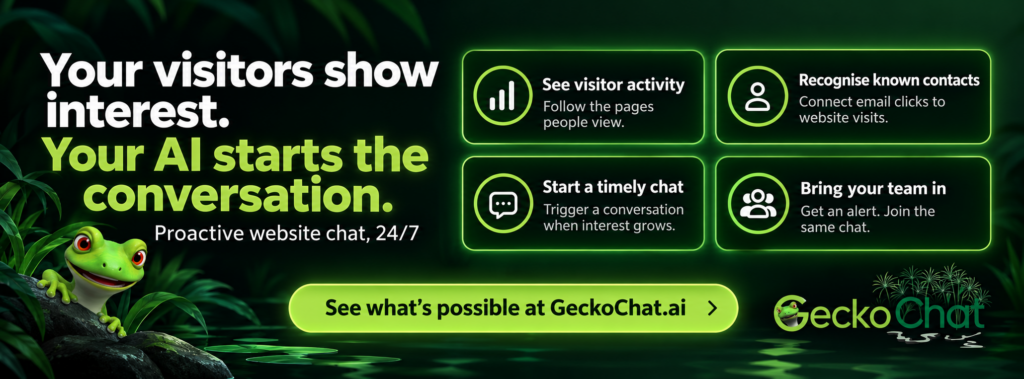
Your visitors show interest. Your AI starts the conversation.
An AI chatbot can answer questions, collect enquiry details and help visitors book appointments on your business website. A proactive chatbot can go further, using visitor activity to offer help at a useful moment and alert your team when a personal conversation could make a difference.
GeckoChat gives you a way to explore that software, with optional help configuring it for your business. Knock Knock provides website chat and visitor engagement. HighLevel provides a CRM and tools for managing enquiries, appointments and follow-up.
You can purchase either platform independently, use both together or investigate connecting the chatbot to a CRM you already have. You can handle the setup yourself or contact me for implementation support.
The software links on this page are affiliate links. If you purchase through them, I may earn a commission. Setup and ongoing support from GeckoChat are separate paid services.
What can an AI chatbot do on your website?
An AI chatbot is software that holds a conversation with your visitors using information provided about your business. It can help people understand your services, find relevant information and decide what to do next.
For a business website, useful tasks include answering common questions, gathering the details needed for an enquiry and helping someone arrange an appointment. AI can handle those initial exchanges around the clock, while your team deals with conversations that need personal attention.
The content and configuration matter. Your chatbot needs clear information about what you offer, sensible boundaries around its answers and a practical process for referring questions to a person.
How is proactive AI chat different from a basic chatbot?
A basic chatbot waits for someone to open the chat window and ask a question. Proactive chat adds another opportunity: offering help in response to what someone is doing on your website.
Perhaps a visitor has read several service pages, returned to your pricing information or spent time considering a particular product. Those actions can provide clues about their interest, even before they start a conversation.
Knock Knock combines visitor activity tracking, engagement triggers and human handover, allowing you to configure how the website responds.
See which pages interest your visitors
Live activity tracking shows how people move through your website and which pages they view. That provides context for an invitation to chat and helps your team understand what someone has been considering.
Connect an email click with what happens next
Email reports often tell you who clicked a link, but the story may stop when that person reaches your website.
With suitable tracking configured, a link in an email can connect a known contact’s click with their subsequent website activity. You can then see which pages they explore, rather than treating the email response and website visit as separate events.
Recognition depends on the information available and the tracking setup. It should not be assumed that every anonymous visitor can be identified.
Start a conversation at a useful moment
Visitor behaviour can trigger an invitation to chat. For example, someone reaching a particular service page after spending several minutes on the website could be offered help relevant to that service.
The trigger and message should fit the situation. A useful invitation gives someone a reason to respond, without repeatedly interrupting their browsing.
Alert your team and let a person join
A trigger can also notify your team that someone is showing interest. An available person can join the same chat, with voice and live video options also available.
That gives your team an opportunity to help while the visitor is still considering their options. When nobody is available, the AI can continue handling questions and help arrange a next step.
Turn the conversation into an enquiry or booking
The chatbot can gather relevant information, ask qualifying questions and support appointment booking through a connected calendar.
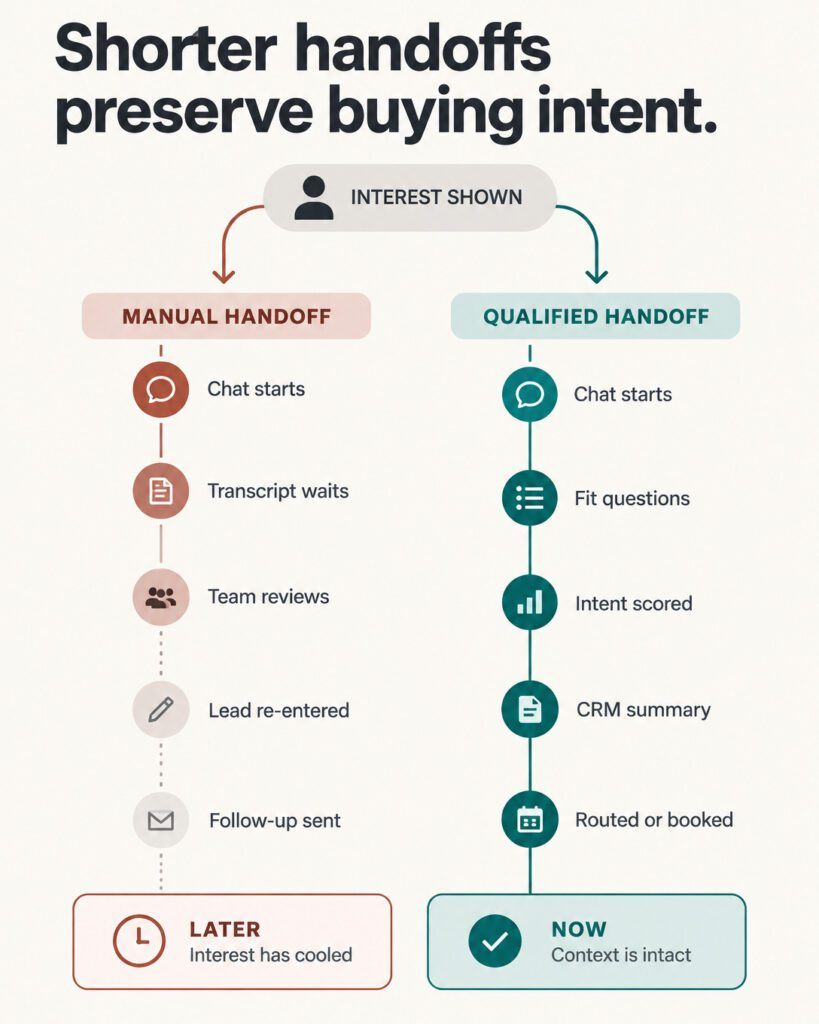
With a suitable CRM integration, contact details and conversation information can become part of your follow-up process.
Where could proactive website chat help your business?
This approach is particularly relevant when people already visit your website but need more information or reassurance before getting in touch.
| Your situation | How website chat could help |
|---|---|
| You pay for advertising that sends people to your website | Offer relevant help while visitors consider the advertised service or product. |
| You send emails linking to your website | Connect known contacts’ clicks with their subsequent activity, where tracking is configured. |
| Your services need some explanation | Answer initial questions and bring in a person when individual advice would help. |
| Your team cannot always respond immediately | Handle routine questions and help visitors arrange a next step. |
| You already have a chatbot | Consider whether behaviour-based triggers and human handover would improve the way it supports enquiries. |
The aim is to make it easier for interested visitors to get useful help and for your team to act on the resulting enquiries.
Connecting your AI chatbot to a CRM
A CRM, or customer relationship management system, keeps contact information and helps your team manage enquiries, conversations and next steps.
Connecting website chat to a CRM can reduce the need to copy information between systems. It can also allow a conversation to feed into an agreed follow-up process, such as assigning an enquiry, creating an opportunity or arranging an appointment.
The connection needs to reflect how your business works: which details matter, where they belong and who should act on them.
HighLevel is one option for CRM and follow-up
HighLevel brings together contact records, sales pipelines, calendars and automated follow-up tools.
You can use it independently or connect it with Knock Knock. If you need a system for organising enquiries and managing what happens after the first conversation, it is worth exploring.
You do not need HighLevel to use Knock Knock
Knock Knock can work without HighLevel, and other CRM connections may be possible through supported integrations, automation tools or custom development.
If your existing CRM provides a suitable way to exchange information, there is a good chance a connection can be investigated. We would check the available access, the information you want transferred and the actions you want triggered before agreeing on implementation.
You may be able to keep the system your team already uses.
AI chatbot setup and integration support
Buying software gives you access to its features. The setup determines how those features fit your website, your team and your enquiry process.
I’m Christine Abela, and GeckoChat is my service for helping you put those pieces together. Depending on your needs, implementation work could include:
-
Configuring chatbot content, tone, responses and boundaries.
-
Choosing visitor triggers and relevant invitations to chat.
-
Setting up team alerts and human handover.
-
Connecting appointment calendars.
-
Organising CRM fields, pipelines and follow-up processes.
-
Investigating connections with your existing software.
-
Testing the journey from website visit to conversation and next step.
The work can be a one-off project, ongoing support or a combination. We will agree on the scope and fee before starting.
If your requirements extend beyond website chat, you can also explore my AI and automation consulting services.
How to get started
1. Explore the software
The links below take you to the providers’ websites, where you can review current features, plans and purchase options.
You can purchase either platform or both. Your subscriptions are with the software providers.
2. Choose whether you want setup help
You can configure the software yourself. If you would like help, a Zoom call gives us a chance to discuss your website, existing systems and what you want to happen when someone shows interest.
You are welcome to work with me whether you purchased through my affiliate links or somewhere else. If a particular integration is essential, we can discuss its feasibility before you purchase.
3. Agree on the implementation
We will identify the work required, check any integration dependencies and agree on a scope and fee before starting.
Ready to explore an AI chatbot for your website?
The software links let you investigate the options at your own pace. When you want help working out the setup, CRM connection or follow-up process, we can discuss what would suit your business.


Frequently asked questions about AI chatbots
What is GeckoChat?
GeckoChat is my service for helping businesses configure website chat, CRM connections and follow-up processes. Knock Knock and HighLevel are separate software platforms that you purchase independently. Implementation support from GeckoChat is optional.
How does a proactive AI chatbot work?
A proactive AI chatbot can use visitor activity to decide when to offer help. For example, viewing a particular page or spending time on the website can trigger a relevant invitation to chat. The setup can also alert your team when someone shows interest.
Do I need HighLevel to use Knock Knock?
No. Knock Knock can work without HighLevel. You can use HighLevel if you want its CRM and follow-up tools, or investigate connecting Knock Knock with a system you already use.
Can you connect the chatbot to my existing CRM?
Probably, provided your CRM supports a suitable way to exchange information. A supported integration, automation tool or custom connection may be possible. We would check the requirements and technical options before agreeing on the work.
Can my team take over an AI conversation?
Yes. An available team member can join the same conversation when personal help would be useful. The setup should cover when staff receive alerts and what happens when nobody is available.
Can the AI chatbot identify every website visitor?
No system should be assumed to identify everyone. Recognition depends on the available information and tracking configuration. A tracked email link can connect a known contact with a visit, while other visitors may remain anonymous.
Can I buy the software elsewhere and still get your help?
Yes. You can buy either platform through my links, directly from the provider or elsewhere. You can also set it up yourself. My implementation service is available independently of where you purchased.
How much do the software and setup cost?
The providers’ websites list their current subscription plans and usage charges. My setup and support fees are separate and depend on the agreed work. After discussing your requirements, I can propose a scope and fee before implementation begins.
Blog Posts About AI Chatbots and CRMs
Knock Knock vs CloseBot: Which Suits Your Service Business?
Knock Knock vs CloseBot: one spots warm visitors on your website, the other books leads already in your CRM. Which suits your business?

How a Property Management Chatbot Helps Owners Choose Your Company
See how a property management chatbot answers landlord questions after hours and turns more website visitors into qualified enquiries.
Is Knock Knock the Right tawk.to Alternative for Turning Website Visits into Enquiries?
Looking for a tawk.to alternative? I compare Knock Knock and tawk.to on price, AI and lead qualification so you can pick the right fit.

GoHighLevel AI: What Does Knock Knock’s Extra Sales Layer Add?
GoHighLevel AI already does a lot. Here’s what Knock Knock’s AI sales layer adds, and how to tell if your business actually needs it.