
 Facebook
 YouTube
 LinkedIn
 BNI
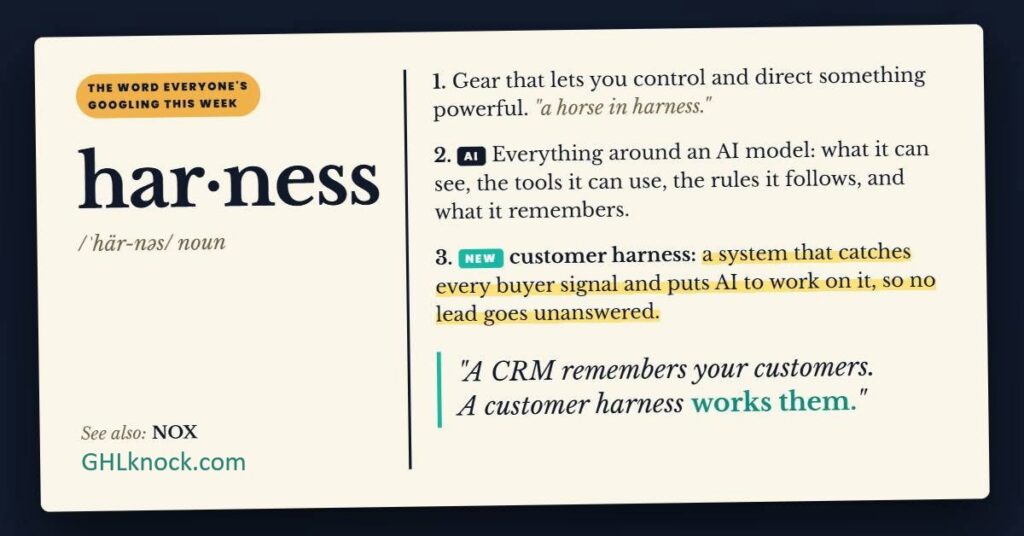
In short: HubSpot is now calling itself the “Customer Harness Company”. In plain English, the HubSpot customer harness idea means your customer data should help you act while a buyer is still interested, rather than just sitting in your CRM. Knock Knock is one tool that does this on your website, and it syncs everything back to HubSpot.
A HubSpot customer harness uses what you already know about a customer to decide what should happen next, and then does it.
Anna Hyatt, co-founder of Knock Knock, breaks it into four steps: signal, identity, decision, action.
Knock Knock watches your website, starts a chat while the buyer is still on the page, brings in a person when needed, and logs it all in HubSpot.
It works for known contacts on your pricing page and for strangers who turn up after hours.
What happens when a buyer comes back to your pricing page?
Here’s a situation worth thinking through, because some version of it is probably happening on your website this week.
You sent a proposal to a prospect last Tuesday. Then, silence. This morning, while your team is flat out with other things, that same person comes back to your pricing page. They read it, scroll a bit, and just sit there thinking.
In plenty of businesses, that visit ends up as a line in an analytics report that someone glances at next month. If your HubSpot tracking is good, maybe a salesperson spots it tomorrow and sends an email. But by then the prospect has closed the tab and moved on to the next thing on their list. They were right there, and nobody said hello.
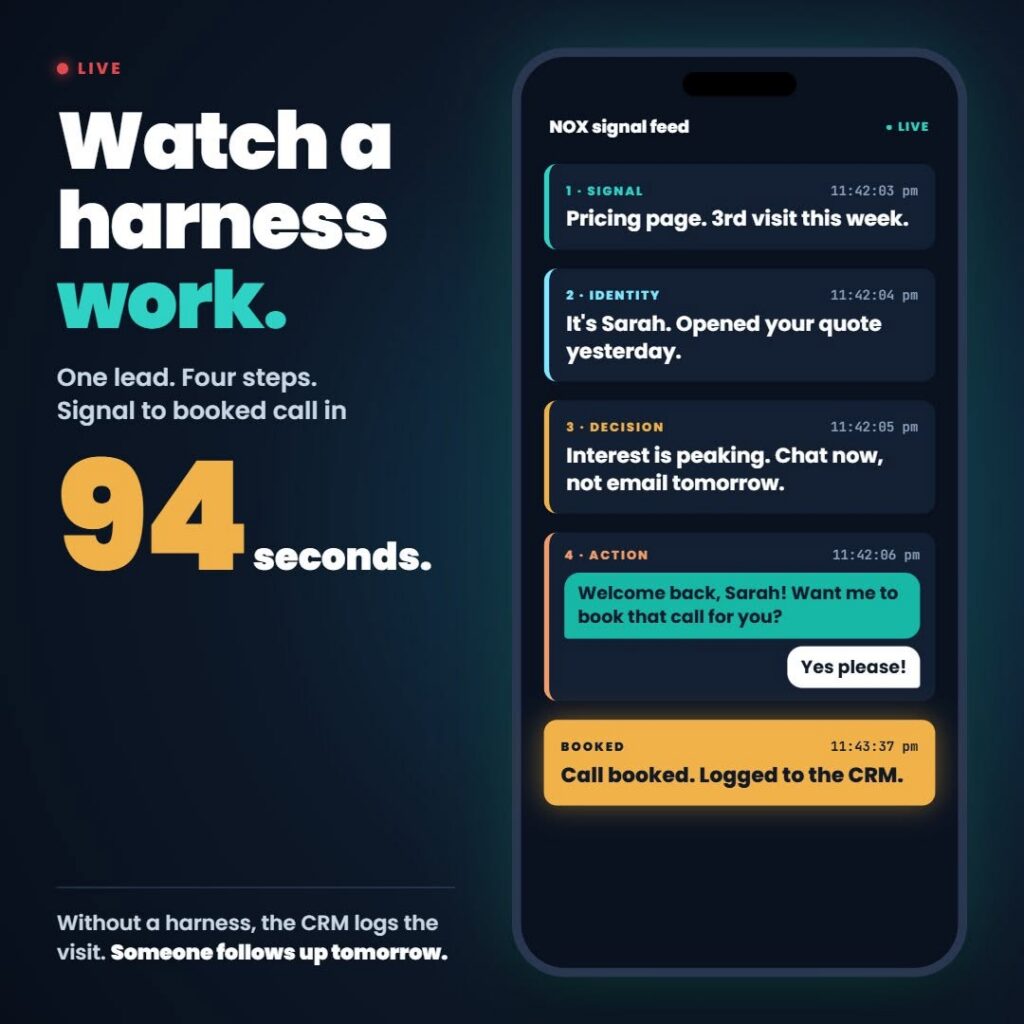
Now picture the same visit with one change. While the prospect is still on the page, a chat window opens with a simple question: “Is there anything you’d like to check before deciding?”
If they ask something the AI can answer, it answers. If the question really needs a person, a team member takes over (when someone’s available, anyway). And the whole conversation, plus the lead details, syncs back to HubSpot, so your salesperson has the full story before they pick up the phone.
So one version just records the interest, and the other actually does something with it. That’s what the HubSpot customer harness idea is pointing at.
Short version: The buyer was interested this morning. Talking to them while they’re still on the page beats emailing them tomorrow.
What does Brian Halligan mean by the HubSpot customer harness?
In November, Brian Halligan announced that he and Dharmesh Shah are refounding HubSpot as the “Customer Harness Company”. He described HubSpot’s history in three chapters: inbound marketing first, then the CRM platform, and now the customer relationship harness.
Harness is a slightly odd word for it, if I’m honest. But strip away the branding and the idea is simple. A CRM stores what you know about your customers. A harness puts that knowledge to work, because it gives your people and your AI agents the information they need to decide what should happen next, and then do it.
The clearest explanation I’ve come across is from Anna Hyatt, co-founder of Knock Knock, who shared a four-part framework on Facebook. Here’s my paraphrase, with credit to her:
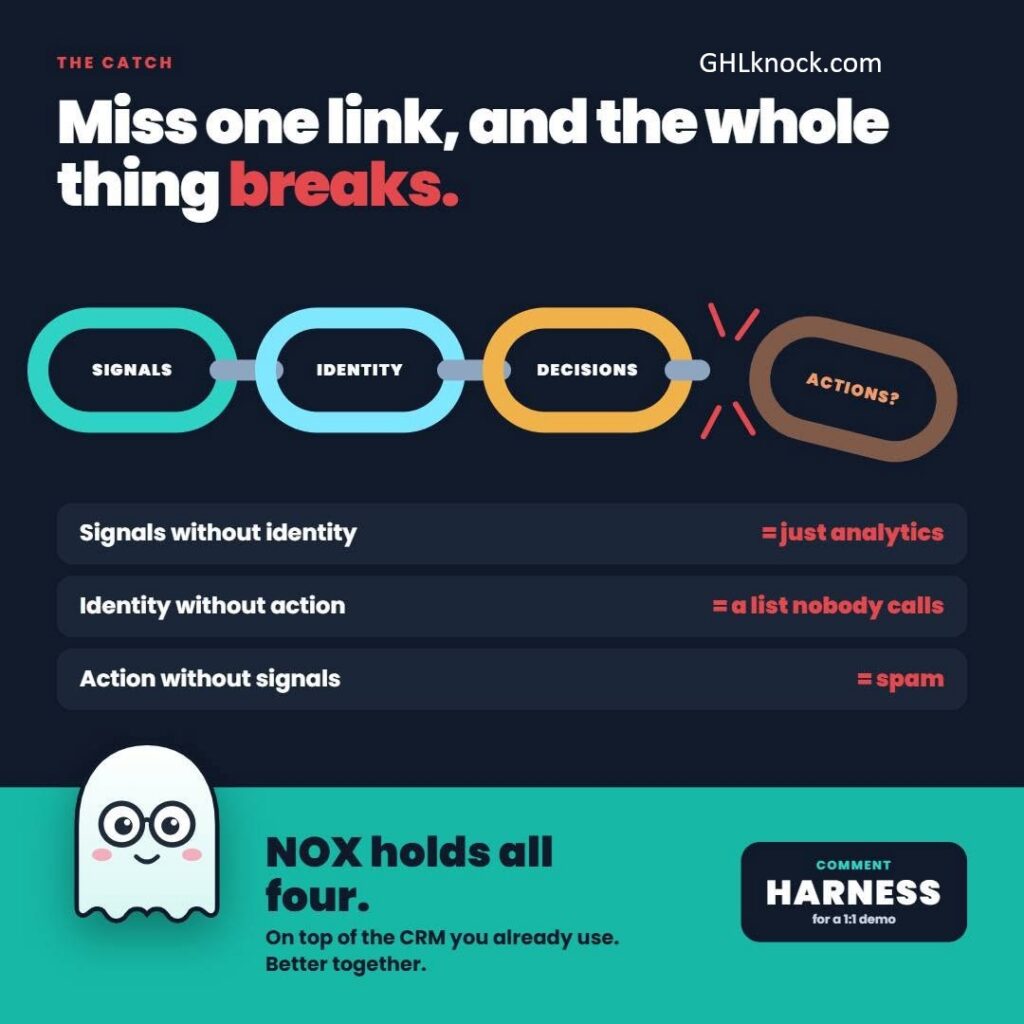
Signal. Something happens that suggests a buyer is weighing up a decision. A return visit to your pricing page is the classic one.
Identity. Where a reliable match is available, that visit gets linked to a known contact. An anonymous visit is just traffic. A visit from the person who opened your quote yesterday is a real opportunity.
Decision. The system works out what the situation calls for. That might be a timely chat invitation or an alert to your team. And sometimes the right move is to leave the visitor to browse in peace.
Action. The system does it, straight away, and logs everything back to the CRM.
Her point, and I agree with her, is that the four pieces only work when they’re connected. If you have signals but no identity, you’ve got analytics. Identity with no action is just a list nobody rings. And action with no signal behind it is spam.
In a nutshell: A harness spots a buying moment, works out who it is, decides what to do, and does it. Drop any one step and the whole thing stops working.
Where does Knock Knock fit in a HubSpot customer harness?
HubSpot already does a lot of this well. It gives your team a shared record of contacts, deals and follow-up, and its own AI and automation tools keep getting better. What’s missing is something on the front line of your website, watching behaviour as it happens and starting the right conversation at the right moment.
That’s the job Knock Knock does. At the centre of it is NOX, the AI that runs Knock Knock’s team of agents. NOX watches for signals on your site, matches visits to known contacts where your setup allows it, decides whether a conversation is worth starting, and then starts it.
For HubSpot users, three things matter most:
1. Proactive website conversations
Rather than sitting in the corner waiting for someone to click a widget, NOX can open the conversation when the visitor’s behaviour suggests they’re ready. Timing matters more than we’d like to admit. Research shows 78% of customers buy from the first company to respond, while the average B2B response time is around 42 hours. Forty-two hours! So a chat offered while the prospect is still on the page will beat an email sent tomorrow pretty much every time.
2. Human handover when it counts
AI handles the routine questions. When a conversation needs a person, a team member can step in by chat, voice or video, as long as someone’s available. The prospect gets a real answer while they’re actually thinking about the decision. And your salesperson walks into a conversation that’s already warm.
3. Native HubSpot sync
Knock Knock connects directly to your HubSpot account. Identified contacts, conversation transcripts and follow-up notes go into the right contact record, so the next person who picks up the relationship knows exactly what was said. That means no copying and pasting, and nobody having to ask “sorry, who did you speak to?”
Where it lands: HubSpot keeps the record. Knock Knock does the watching, the first chat and the handover, then writes it all back to HubSpot.
What about the visitor who turns up after hours?
The pricing page example works because the visitor is already a known contact. But the same approach earns its keep with strangers too.
Say a first-time visitor lands on your services page at 9.40pm, comparing you with two competitors. Nobody on your team is awake, and plenty of leads turn up outside normal business hours anyway. With nothing in place, that visitor reads a bit, forms half an impression, and leaves.
With Knock Knock running, NOX can answer their question on the spot and invite them to leave their details, so your team can follow up in the morning. They were a stranger when they arrived. By the time they leave, you’ve got a name, the question they actually care about, and a record in HubSpot ready for your team at 9am.
So the harness works at both ends. It acts on what you already know about existing contacts, and it gathers what you need to know about new ones.
💡 Tip: none of this means you’ll identify every visitor. No tool can do that. Matching depends on how your triggers and tracking are set up, and what your HubSpot plan supports. Set it up honestly and it works well within those limits.
After-hours bonus: A stranger at 9.40pm can become a named lead in HubSpot by 9am, as long as something on your site is there to talk to them.
Why does this matter for small business owners?
I’ve spent years helping small business owners who feel stressed, tech-confused and overwhelmed by their marketing. What I like about this setup is that it asks very little of you day to day. The CRM you already use stays at the centre. The harness does the watching and the first conversation, then hands you a well-briefed lead instead of a cold list.
Your team keeps doing what people do best: the judgement calls, the relationships, the closing conversation. The AI covers the bit people are honestly pretty bad at, which is being present and paying attention at 9.40pm on a Tuesday. Or during the 94 seconds a returning prospect spends on your pricing page.
What this means for you: You keep your CRM and your people. The AI covers the moments when nobody’s around to notice a buyer.
Frequently asked questions
What is the HubSpot customer harness?
It’s Brian Halligan’s term for using customer information to guide what your people and AI agents do next, and then doing it. A CRM stores the information. A harness puts it to work.
Who announced HubSpot’s “Customer Harness” positioning?
Brian Halligan announced it in November, saying he and Dharmesh Shah are refounding HubSpot as the “Customer Harness Company”.
What are the four parts of a customer harness?
According to Anna Hyatt, co-founder of Knock Knock, they’re signal, identity, decision and action. All four need to be connected for it to work.
Does Knock Knock replace HubSpot?
No. HubSpot stays the shared record of contacts, deals and follow-up. Knock Knock works on your website and syncs conversations and lead details back into HubSpot.
What is NOX?
NOX is the AI that runs Knock Knock’s team of agents. It watches for signals, matches visits to known contacts where your setup allows, decides whether to start a conversation, and starts it.
Can Knock Knock identify every website visitor?
No tool can. Matching depends on your triggers, your tracking and your HubSpot plan. For unknown visitors, NOX can answer questions and invite them to leave their details.
What happens when the AI can’t answer a question?
A team member can take over by chat, voice or video, as long as someone is available.
What to take away from this
The HubSpot customer harness idea means using customer information to act, rather than just storing it.
A working harness needs all four steps connected: signal, identity, decision, action.
Speed matters, because 78% of customers buy from the first company to respond.
Knock Knock adds the website layer: proactive chat, human handover and native HubSpot sync.
It helps with known contacts on your pricing page and with strangers who visit after hours.
No tool identifies every visitor, so set it up honestly.
How can you see it running on a real website?
If you use HubSpot and want to see what a HubSpot customer harness looks like in practice, head to GHLknock.com and watch Knock Knock in action. I’m happy to talk through how it could work with your own HubSpot setup, in plain English and at your pace.
Disclosure: I have an affiliate relationship with Knock Knock, so I may earn a commission if you sign up through my link. My recommendation stands either way, and I only point clients at tools I would use myself.