

TL;DR: Most small businesses don’t need an AI agent. They need better processes. When you do need one, start with hard spending limits ($200/month max), track patterns for two weeks before building, use frameworks designed for small businesses (like OpenClaw), and build human oversight in from day one. The logistics company I worked with saved three hours daily for $135/month in running costs.
What you’ll learn:
How to tell if you actually need an AI agent or just better automation
Setting up cost controls that prevent $400 overnight bills
Building a caching layer that cuts API costs by 40%
Managing state so your agent doesn’t forget what it’s doing
Adding human oversight that builds trust instead of slowing things down
Do You Actually Need an AI Agent?
When a small business owner tells me they need an AI agent, I ask one question: what specific task is driving you mad right now?
Nine times out of ten, they don’t need an agent. They need simple automation or a better process.
Last month, a client wanted an AI agent to handle customer enquiries. Turned out they needed a decent FAQ system and a working form. Would’ve cost them $500 monthly in API calls for something a $50 chatbot plugin handles fine.
The reality: AI agents work brilliantly for complex, multi-step workflows where decisions change based on context. But if you’re moving data from A to B, or answering the same twenty questions repeatedly, you’re using a sledgehammer to crack a walnut.
If you write it as a flowchart with clear yes/no branches, you probably don’t need an agent. Save agents for when the path genuinely changes based on context, when reasoning through options matters, or when you’re replacing human judgement calls.
Bottom line: Don’t chase the AI hype. Build what solves your actual problem.
When Do You Actually Need an AI Agent?
A logistics company came to me wanting an AI agent because their competitor mentioned having one. When I asked what kept the owner up at night, the answer was clear: three hours every morning. That’s how long the dispatch manager spent manually scheduling deliveries based on driver availability, traffic patterns, and customer priority levels.
Multiple variables. Real-time decision-making. Context that changes by the hour. That’s a genuine agent use case.
I reframed the conversation: forget what your competitor’s doing. If I give you back three hours of your best person’s time every single day, what’s that worth?
We’re talking about $60,000 yearly in productivity. Not bragging rights.
I also show clients a failed example. A retail client built an agent for inventory predictions before sorting their basic stock tracking. Rubbish in, rubbish out. Cost them four months and $8,000 before they admitted it wasn’t working.
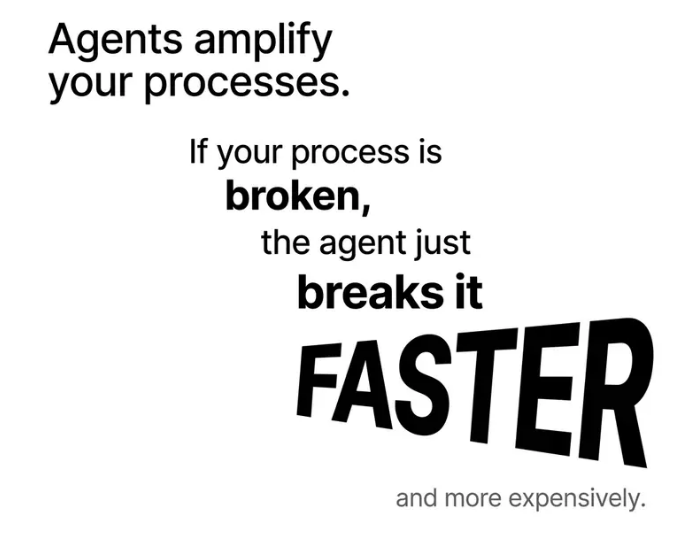
Agents amplify your processes. If your process is broken, the agent breaks it faster and more expensively.
Key point: AI agents solve complex, multi-step workflows with changing variables. Simple tasks need simple automation. Build the right tool for the job.
How Do I Set Up Cost Controls From Day One?
Before writing a single line of code, set a hard monthly API spending limit. For the logistics company, I set $200 as a hard stop. The agent literally stops making calls when it hits that threshold. I get an alert at $150.
This matters because agents burn $300 per day without cost ceilings. I’ve seen $400 overnight charges from agents retrying malformed queries endlessly.
Next, log every single API call with token counts. Tedious? Yes. Necessary? Absolutely. Costs spiral fast when you don’t know what’s being sent to the API.
During testing, I discovered this agent sent the entire customer database with every routing query. Completely unnecessary. We were burning tokens at an alarming rate.
Start with the smallest viable model. Everyone jumps to GPT-4 because it’s “the best.” For logistics workflows, GPT-3.5 worked fine. We’re scheduling deliveries, not writing poetry. That cut costs by 60%.
How Does a Caching Layer Cut API Costs by 40%?
Build a caching layer for common queries. If the agent’s seen a similar routing problem in the past 24 hours, it references the cached decision instead of making another API call.
I used Redis. Fast, cheap to run, perfect for temporary storage. A basic key-value store works fine.
Here’s the structure: every routing query gets hashed based on key variables. Pickup location, delivery location, time window, priority level. If those four match within tolerances, it’s “similar enough.”
For locations: I used a radius of about 2 kilometres
For time windows: within 30 minutes
Priority levels: had to match exactly
When a query comes in, the agent checks Redis first. Cached decision from the past 24 hours? Return it instantly. No API call. No cached decision? Make the API call, store it in Redis with 24-hour expiration.
Morning rush queries involve the same regular customers and routes. Cache hit rate during peak hours: 65%. That’s 65% of queries costing nothing in API calls.
First month running costs: $120 in API calls. Three hours daily saved. Dispatch manager’s stress down. The owner saw exactly where every dollar went.
Key point: Hard spending limits, token logging, smallest viable model, and caching layers keep costs under control. The logistics agent ran for $120 monthly instead of potential $300 daily burns.
Why Do I Need to Track Patterns Before Building?
Before building anything, track patterns for at least two weeks. Every override. Every workaround. Every time someone says “the system’s telling me X but I know I should do Y.”
The “three-month, three-instance” test: If something happens at least three times over three months in similar circumstances, it’s a pattern. Less than that? Noise.
Look for “expensive overrides” where humans consistently step in and change what the system suggests. That’s your gold.
Sales manager manually adjusting CRM lead scoring more than 20% of the time? Pattern worth investigating. Only 3% override rate? Edge cases. Not worth coding for.
For the logistics company, drivers consistently rejected routes through certain suburbs during school drop-off times. Technically faster routes, but rejected daily for three months. Pattern. We coded for it.
One driver refused a route once because of roadworks. One time in three months? Noise. Ignored it.
Straight talk: If they don’t have time to understand their processes, they don’t have time to fix an agent making decisions based on guesswork. I’d rather lose the client than build something I know will fail.
Key point: Track patterns for two weeks minimum. Identify expensive overrides where humans consistently intervene. Distinguish patterns (code for them) from noise (ignore it).
Which Tech Stack Should I Choose for My First Agent?
OpenClaw is built for small business workflows. Not enterprise-scale orchestration with hundreds of microservices. It’s designed for people who need an agent to do real work without a dedicated DevOps team.
The main advantage: cost transparency. Built-in token tracking and spending limits baked into the framework. You’re not bolting on cost controls as an afterthought. For the logistics client, I set spending thresholds directly in the OpenClaw config. No custom monitoring needed.
It handles state management elegantly without separate databases or caching layers. Though I added Redis for query caching because that made sense. For simpler agents, OpenClaw’s built-in state handling prevents memory degradation where agents forget context or make inconsistent decisions.
It’s not trying to be everything to everyone. Microsoft’s Agent Framework is powerful, but built for enterprise complexity. Small NZ businesses don’t need that overhead.
OpenClaw delivers core agent capabilities: reasoning, tool use, state management. No enterprise bloat. You understand what’s happening under the hood. That matters when something breaks at 3am and you need to fix it yourself.
Key point: Choose frameworks built for small businesses like OpenClaw. Built-in cost tracking, elegant state management, and simple enough to troubleshoot yourself.
What Is State Degradation and How Do I Fix It?
Context drift is state degradation in action. Insidious because the agent doesn’t throw an error. It just quietly makes rubbish decisions.
Here’s what happens: most language models have a context window. Say 8,000 tokens. Your agent starts with clear instructions: “Schedule deliveries prioritising time-sensitive medical supplies, then general freight, then standard parcels.” That’s in the context at step one.
As the workflow progresses (checking driver availability, calculating routes, factoring in traffic, logging decisions), you’re adding tokens to that context window. By step 15, you might hit 7,500 tokens.
The model “forgets” earlier parts to make room for new information. What gets pushed out? That original priority instruction.
By step 20, the agent still functions. Calculating routes, making decisions. But it’s optimising for whatever’s most recent, like “minimise fuel costs” from step 18. Medical supplies that should’ve been first priority? Now scheduled after standard parcels because the agent lost track of why it’s doing this.
Research shows context windows claiming 200,000 tokens become unreliable around 130,000. Sudden performance drops, not gradual degradation.
How Do I Fix Context Drift?
Explicit state management outside the conversation context. I store core goals and constraints in a separate state object that gets injected into every single decision point.
Even if conversational context drifts, the agent checks against that external state: “Am I still prioritising medical supplies? Yes. Proceed.” Like giving it a sticky note on its monitor that never gets buried.
My safeguard: checkpoints every 5-7 steps where the agent explicitly confirms its current goal and constraints before proceeding. Takes an extra second or two, but prevents weird drift scenarios where you wake up wondering why it made nonsensical decisions.
Key point: Context windows forget early instructions as workflows progress. Fix this with external state management that stores core goals separately and injects them at every decision point. Add checkpoints every 5-7 steps.
How Do I Build in Human Oversight That Actually Works?
I build human oversight checkpoints in from day one. Not as an afterthought. That’s the biggest change from my early implementations.
Early on, I built agents meant to run completely autonomously. Full automation felt like the point. But every single one either failed or needed massive rework within weeks. No way for humans to course-correct when things went sideways.
Now, I design “trust gates” into the workflow from the start. Specific points where the agent pauses: “Here’s what I’m about to do, confirm or override.” Not every step (that defeats the purpose), but at high-stakes decision points.
For the logistics agent, it’s before finalising routes that deviate more than 20% from historical average time or distance.
How Do I Decide Which Decisions Need Human Checkpoints?
I use the “cost of wrong” calculation. If the agent makes a bad decision at this point, what’s the actual damage in dollars, time, or reputation?
For the logistics company, wrong driver assignment costs 15 minutes of reshuffling. Autonomous. Let the agent handle it. Wrong route priority that delays medical supply delivery? Could cost a contract or worse, someone’s health. That gets a trust gate.
I map this out with the business owner on a whiteboard. We go through each major decision point and assign a risk score from 1 to 10.
Anything scoring 7 or above gets a human checkpoint.
Anything below 5 runs autonomously.
The 5-6 range, we test both ways and see what feels right.
The other factor is reversibility. Email to wrong customer segment? Embarrassing, but you send a correction. Automatic refund to wrong account? Nightmare to reverse.
Business owners know instinctively which decisions keep them up at night. When I ask “which part of this workflow makes you nervous?” they tell me immediately. Those nervous points are exactly where trust gates go.
Key point: Build “trust gates” where agents pause for confirmation at high-stakes decision points. Use the “cost of wrong” calculation (damage in dollars, time, reputation) and reversibility to decide what needs human oversight.
What Safeguards Prevent 3am Disasters?
Most common failure: the agent getting stuck in a loop, burning through API calls trying to solve something it can’t.
The safeguard I always build in: “three strikes” rule with escalating delays. Agent fails the same task three times, it stops, logs the error, sends me an alert. It doesn’t keep hammering away hoping for different results.
Between each retry, there’s an exponential backoff:
First retry after 10 seconds
Second after a minute
Third after five minutes
That prevents runaway costs.
I also build in a “sanity check” layer. Simple rules that catch obviously wrong outputs. Agent suggests a 300-kilometre delivery route when the customer is 15 kilometres away? Something’s broken. Stop, alert, don’t proceed.
Not sophisticated. Just basic bounds checking. But they catch about 80% of catastrophic failures before they cause real damage.
Key point: Prevent runaway costs with three-strikes rules (exponential backoff between retries) and sanity checks (basic bounds checking on outputs). Simple safeguards catch 80% of failures.
How Do I Account for Human Behaviour Without Building a Psychology Model?
I didn’t try to teach the agent about human psychology. That’s a rabbit hole you’ll never climb out of. Instead, I built “pattern recognition windows” based on observed behaviour, not predicted behaviour.
I took three months of historical routing data and looked for patterns in when the dispatch manager overrode the “optimal” route. Fridays after 2pm had a massive spike in overrides. 40% compared to 8% on Tuesday mornings. That told me the “optimal” route wasn’t optimal on Friday afternoons, even if algorithmically perfect.
Rather than programming in “drivers want to go home,” I told the agent: “On Fridays after 2pm, weight driver end-location proximity 30% higher than usual.” Simple rule based on what happened, not what should happen in theory.
Same with morning coffee stops. Drivers consistently added 10 minutes to routes passing certain cafés between 6-7am. Instead of fighting it or modelling “coffee behaviour,” I added those 10 minutes into time estimates for those routes during that window.
The agent doesn’t know why. It just knows that’s how long it takes.
Keep the agent focused on patterns in the data, not human motivation. I’m building a scheduling tool, not a psychology model. If data shows something consistently happens, account for it. Don’t explain it or fix it. Work with reality as it is.
Key point: Use observed behaviour patterns from historical data, not predicted psychology. Simple rules based on what actually happens (Friday afternoon routing preferences, coffee stop delays) work better than complex motivation models.
What This Actually Costs
The reality is that small businesses can launch AI for under $5,000 or $20–$100 per month per user using practical frameworks instead of enterprise solutions.
For that logistics company:
Initial setup: About three weeks of my time (including the two-week tracking exercise)
Monthly API costs: $120
Redis hosting: $15/month
Time saved: Three hours daily for the dispatch manager
Annual productivity gain: Approximately $60,000
First month running costs: $135. Dispatch manager’s stress down. Drivers happier with routes. The owner saw exactly where every dollar went.
Key point: Small businesses launch AI agents for under $5,000 setup or $20-$100 monthly per user. The logistics agent cost $135 monthly to save three hours daily and $60,000 yearly in productivity.
What’s the Most Important Mindset Shift?
Early me thought human checkpoints meant the agent wasn’t good enough. Current me knows human checkpoints make the agent usable in the real world.
It’s not about building something that doesn’t need humans. It’s about making humans more effective at the decisions that matter.
That mindset shift (“replace humans” to “amplify humans”) changed my success rate from 40% to over 90%.
The dispatch manager trusts the system because they see what it’s thinking and step in when needed. Those override moments become training data for improving the agent. Every override gets logged with the reason, feeding back into refining the rules.
Straight talk: You’re not automating everything. Just the things that hurt when they go wrong.
Key point: The mindset shift from “replace humans” to “amplify humans” increases success rates dramatically. Human oversight builds trust and generates training data for continuous improvement.
Getting Started
If you’re a small NZ business owner thinking about building your first AI agent, start here:
1. Track your patterns for two weeks minimum. Every override, every workaround, every time someone says “the system’s wrong but I know what to do.”
2. Set hard spending limits before writing any code. Not targets. Hard stops with alerts.
3. Choose a framework built for small businesses. OpenClaw, not enterprise solutions that require a DevOps team.
4. Build in human oversight from day one. Trust gates at high-stakes decision points, not full automation.
5. Start with the smallest viable model. You can always upgrade later if needed.
6. Implement explicit state management. Don’t rely on context windows alone for long workflows.
7. Add safeguards for common failures. Three-strikes rules, sanity checks, exponential backoff.
The small business owners who succeed with AI agents are the practical ones. They don’t want the fanciest solution; they want the one that works and doesn’t keep them up at night worrying about bills or breaking things.
That’s exactly what this approach delivers.
Frequently Asked Questions
How do I know if I need an AI agent or just better automation?
If you write your workflow as a flowchart with clear yes/no branches, you need automation. AI agents are for complex, multi-step workflows where decisions change based on context and require reasoning through options. Look for tasks with multiple variables, real-time decision-making, and context that changes constantly.
What’s a realistic budget for a small NZ business to build their first AI agent?
Initial setup runs about three weeks of consultant time (including two weeks of pattern tracking). Monthly costs: $120-$150 for API calls and hosting (like Redis). Total ongoing costs around $135 monthly. Setup under $5,000, or $20-$100 per month per user for practical frameworks.
How long does it take to see ROI from an AI agent?
The logistics company saw ROI within the first month. Three hours daily saved for the dispatch manager translates to approximately $60,000 yearly in productivity gains. Running costs were $135 monthly. ROI depends on your specific use case, but tracking time saved and costs avoided gives you clear metrics.
What happens if my agent starts making wrong decisions?
Trust gates catch high-stakes decisions before they execute. The agent pauses: “Here’s what I’m about to do, confirm or override.” Three-strikes rules stop runaway loops. Sanity checks catch obviously wrong outputs (like 300km routes for 15km distances). These safeguards catch 80% of failures before they cause damage.
Do I need technical expertise to build and maintain an AI agent?
You need enough technical knowledge to troubleshoot when things break at 3am. Frameworks like OpenClaw are built for small businesses without dedicated DevOps teams. You should understand what’s happening under the hood. Hire a consultant for initial setup, but choose simple frameworks you understand.
How do I prevent my agent from forgetting what it’s supposed to do?
Context windows forget early instructions as workflows progress. Fix this with external state management. Store core goals and constraints in a separate state object that gets injected into every decision point. Add checkpoints every 5-7 steps where the agent confirms its current goal before proceeding.
What’s the biggest mistake small businesses make when building their first agent?
Skipping the pattern tracking phase. They want to jump straight into building. Two weeks of tracking patterns (every override, every workaround) saves months of rebuilding. The second biggest mistake: building fully autonomous agents without human oversight. Trust gates are essential from day one.
How do I choose between GPT-3.5 and GPT-4 for my agent?
Start with the smallest viable model. GPT-3.5 handles most business workflows fine (scheduling, routing, basic decision-making). GPT-4 costs significantly more. Only upgrade if GPT-3.5 doesn’t handle your specific reasoning requirements. You’re scheduling deliveries, not writing poetry.
Key Takeaways
Most small businesses don’t need AI agents. They need better automation. AI agents solve complex, multi-step workflows with changing variables. Simple tasks need simple solutions.
Set hard spending limits before writing code. $200 monthly hard stop, alert at $150. Log every API call with token counts. Start with smallest viable model. Build caching layers for common queries.
Track patterns for two weeks minimum before building. Look for expensive overrides where humans consistently intervene. Distinguish patterns (code for them) from noise (ignore it). The three-month, three-instance test identifies real patterns.
Context windows forget early instructions. Fix with external state management that stores core goals separately and injects them at every decision point. Add checkpoints every 5-7 steps.
Build “trust gates” from day one. Human oversight at high-stakes decision points builds trust and generates training data. Use the “cost of wrong” calculation (damage in dollars, time, reputation) to decide what needs checkpoints.
Prevent 3am disasters with simple safeguards. Three-strikes rules with exponential backoff, sanity checks for obviously wrong outputs. Basic bounds checking catches 80% of catastrophic failures.
The mindset shift from “replace humans” to “amplify humans” changes everything. Human checkpoints make agents usable. Override moments become training data. Success rates jump from 40% to over 90%.