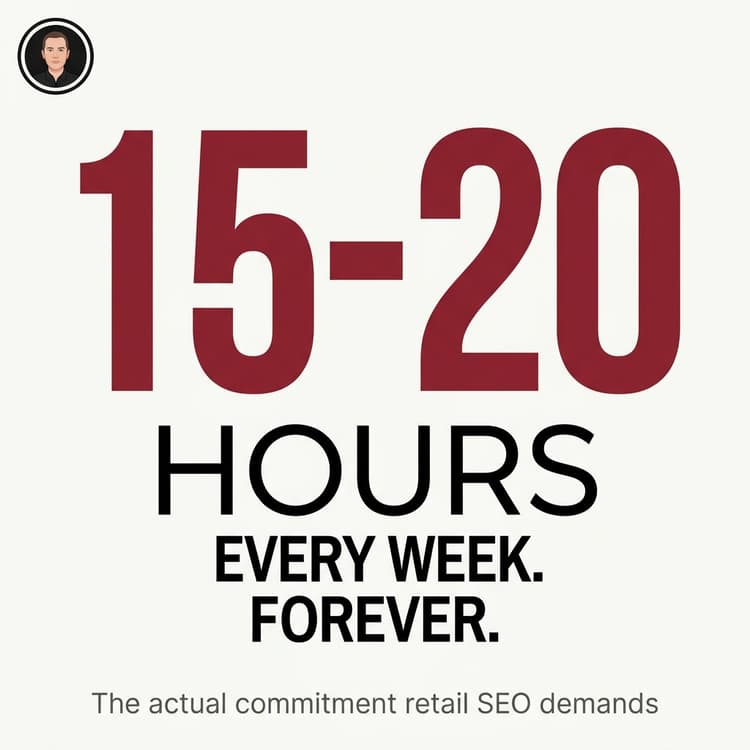


TL;DR: Retail SEO requires technical integration between your POS and website, AI-optimised content, precise schema markup, ongoing link building, and 15-20 hours weekly maintenance. Most retailers underestimate the complexity and either waste months on ineffective DIY attempts or hire experts who already know the landscape.
Quick Answer: What Does Retail SEO Require?
- Technical foundation: Fix POS-website integration, ensure consistent business data across platforms
- AI optimisation: Structure content for ChatGPT, Perplexity, and AI search engines with schema markup and quotable facts
- Content creation: Unique product descriptions, buying guides, local content (4-5 hours weekly)
- Link building: Local partnerships, digital PR, relationship development (2-3 hours weekly)
- Ongoing maintenance: Monitor algorithm updates, fix technical issues, track rankings (5-7 hours weekly)
- Reality check: Budget 15-20 hours weekly for proper DIY SEO, or outsource to specialists.
A client contacted me this week. Physical retail store in Timaru, Shopify website, and Lightspeed POS system. They wanted to learn SEO so they could handle it themselves.
I spent quite some time walking them through what’s actually involved. By the end, they asked me to do it for them.
Here’s what I showed them.
Why Your Technical Foundation Comes First (Before Keywords or Content)
Your Shopify site and Lightspeed POS speak different languages. When they’re not talking properly, Google sees conflicting information and drops your rankings.
A homewares client came to me after their Google rankings dropped 40% in three months. When I investigated, their Lightspeed showed 47 ceramic bowl sets in stock. Shopify said, “Only 2 left!” The inventory sync had broken three months earlier, and nobody noticed.
Google crawls their site daily. One day, a product went in stock; the next day, it sold out, even though nothing had sold online. Google’s algorithms flagged this as unreliable.
The bigger problem: their business information didn’t match across systems.
- Lightspeed: “123 Main Street”
- Shopify: “123 Main St”
- Google Business Profile: “123 Main Street, Shop 2”
To you, that’s the same address. To Google’s algorithms, those are three different businesses.
What to Check Right Now
- The business name is identical across Shopify, Lightspeed, and Google Business Profile.
- The address is formatted the same everywhere
- Phone number consistent (including area code format)
- Opening hours match on all platforms
- Inventory sync is working between the POS and the website
- Product information consistent (prices, descriptions, availability)
This work feels boring. You won’t see immediate traffic spikes from fixing it.
But if you don’t fix it first, everything else you do will fail.
Research shows 62.4% of ecommerce websites have at least one broken link, and 53% have pages missing canonical tags. These technical issues actively harm your rankings before you even start creating content.
Bottom line: Technical problems act as a ceiling on your SEO performance. Fix the foundation before building anything else.
How to Audit Your Current SEO Position (The Diagnostic That Shows Where You Really Stand)
Before you decide DIY or outsource, you need to know where you stand right now.
Open Google Search Console. If you don’t have it set up yet, that’s problem number one.
Three Critical Checks
1. Coverage Report
How many pages does Google think you have versus how many you’ve got? A big gap means crawling issues.
I found a client with 340 products, but Google had only indexed 180. Half their inventory was invisible to search engines.
2. Core Web Vitals
Your site speed and mobile performance. Pages loading slower than 3 seconds experienced 23% more traffic loss than faster competitors during recent algorithm updates.
Speed isn’t optional anymore.
3. Manual Actions
Check if Google has already penalised you. I’ve seen retailers operating for months with penalties they didn’t know existed.
Simple Site Audit Steps
Google your business name. Does your Google Business Profile information match your website?
Search for “site:yourwebsite.com” and see what’s indexed. Are there duplicate pages? Old products that should be gone? Weird URLs you don’t recognise?
Pick your top five products and Google the exact product names. Where do you rank? First page? Second page? Nowhere?
This diagnostic takes about two hours.
If you find major technical issues, inconsistent business information, or you’re not ranking for your own product names, you’ve got problems that need fixing before any content strategy matters.
Reality check: If you don’t understand half of what you’re looking at, you have your answer about DIY versus outsourcing.
What AI Search Engines Need (And Why Traditional SEO Isn’t Enough)
Traditional Google SEO and AI search optimisation are now different games.
60% of US shoppers use AI tools like ChatGPT for purchases. Organic click-through rates dropped from 1.41% to 0.64% for queries with AI Overviews. That’s a 61% decline.
Here’s what changed: AI engines aren’t crawling for keywords. They’re looking for structured, factual answers they can cite with confidence.
Product Page Requirements
Specifications in table format. Dimensions, materials, care instructions, compatibility. AI parses tables reliably.
FAQ sections on product pages. Specific questions customers ask: “Is this microwave safe?” “What’s the warranty period?” “Will this fit a standard New Zealand power outlet?”
Definitive, quotable answers. No marketing fluff. Just facts.
Complete product schema. Brand, model, SKU, availability, price, review data. AI engines cross-reference structured data against visible content. They need to match perfectly.
Blog Post and Buying Guide Requirements
H2 headings as questions. “What’s the difference between German and Japanese knives?” “How do I know if a knife is sharp enough?”
Answer first. Put the definitive answer in the first paragraph under each heading. That’s what AI extracts and cites.
Key takeaway boxes. Summarise main points. AI engines pull these as quotable facts.
Entity linking. Mention specific brands, materials, and techniques by their proper names so the AI understands the relationships.
Author credentials. AI engines evaluate expertise signals heavily. A product page from a verified local business with proper schema is cited more often than a generic blog from an unknown source.
Proper AI SEO strategies boost visibility in AI responses by up to 40%. But only 0.3% of AI Overviews include ecommerce sources right now.
Key insight: You’re competing for tiny visibility windows. Structure and precision matter more than ever.
Schema Markup Reality (Where Most DIY Efforts Fall Apart)
Schema markup sounds straightforward. “Just add some code to tell search engines what your content means.”
The reality is messier.
Most retailers use a plugin or Shopify app that auto-generates schema. They think they’re done.
Here’s what trips them up: those automated tools create a generic Product schema. It doesn’t capture the nuances of your specific business.
What You Actually Need
- LocalBusiness schema for your physical store
- Product schema for individual items
- FAQPage schema for buying guides
- Organisation schema to tie it all together
The real problem comes when you nest these schemas properly.
I’ve seen retailers accidentally create a conflicting schema in which their product page claims to be both a Product and a LocalBusiness simultaneously. AI engines get confused.
Or they add the FAQPage schema but forget to mark up the actual questions and answers with proper properties. The AI can’t extract information cleanly.
Common Mistakes
Copying without adapting. You end up with placeholder text like “Insert product description here” published on a live site.
Fake ratings. I found one client running “aggregateRating: 4.5 stars from 250 reviews” for six months. They’d only ever received 3 reviews total. Google flagged it as misleading markup immediately.
Pages with schema markup achieve 20-40% higher click-through rates. Rich results achieve an 82% higher CTR than non-rich results.
The challenge: The technical precision required is where DIY efforts fall apart.
Creating Content That Ranks (Not Just Content That Exists)
96.55% of all indexed pages receive no organic traffic from Google. Source.
You’re not competing against other retailers. You’re competing against the entire internet.
The average ecommerce brand ranks for 1,783 keywords and drives 9,625 organic monthly visits. That traffic would cost $11,790.58 per month via paid search.
That’s the value of SEO over advertising. But you have to earn it.
Content Requirements for Retail SEO
Unique product descriptions. Not manufacturer copy.
I had an outdoor gear client whose rankings dropped 60% overnight when Google started penalising thin product pages with copied descriptions. They had 340 products using supplier text.
The fix took three months. We prioritised their top 50 revenue-generating products and rewrote descriptions from scratch. Added usage advice, local context like “ideal for Canterbury winters”, and customer questions we’d collected. Comparison tables, size guides, and care instructions that provided genuine value beyond manufacturer specs.
Buying guides. Answer real customer questions. “How to Choose Kitchen Knives” is structured with H2 headings that mirror search queries. Definitive answers in the first paragraphs. Examples and context below.
Local content. Connect your physical store to your online presence. “Best Running Routes in South Canterbury” was created by a Timaru sports shop, linked to the local running club. That’s the kind of content that earns legitimate backlinks.
Regular updates. Google changes algorithms constantly. In 2025, Google released three core updates. The March 2026 core update was the most volatile yet, shifting 80% of top-3 results.
What worked yesterday stops working tomorrow. You need to monitor, test, and pivot constantly.
Reality check: Content creation alone requires 4-5 hours weekly, and that assumes you write well.
Link Building Reality (Why Shortcuts Always Backfire)
The Shortcut That Cost Six Months
A retailer in Ashburton bought 500 backlinks for $200 from an offshore SEO company.
Within six weeks, Google hit him with a manual penalty. His site virtually disappeared from search results.
Those links came from Russian pharmaceutical blogs, Indonesian gambling forums, and abandoned directory sites that existed purely to sell links. Google spotted the unnatural link pattern immediately.
Cleaning up took me four months. Manually disavowing hundreds of toxic links, submitting reconsideration requests, and rebuilding his link profile from scratch. He lost half a year of potential growth.
What Works in Retail SEO
Local collaboration content. A Timaru sports shop is partnering with the local running club to create a guide that the club can link to and share.
“Support Local” pages. A homewares retailer is creating a page featuring other Timaru artisans. Those makers link back.
Digital PR. Getting mentioned in local news sites by having a newsworthy story. Not generic press releases.
Links need to come from relevant, authoritative sources within your actual community or industry.
That takes time, relationship-building, and the creation of genuinely useful content.
The truth: There’s no shortcut. That’s exactly why most retailers can’t sustain link building on their own.
Mobile Optimisation (Where 68% of Your Traffic Comes From)
Mobile commerce accounts for 68% of ecommerce traffic globally.
Yet mobile cart abandonment reaches 77.2% compared to lower rates on desktop.
Your mobile experience is costing you sales.
Mobile Checklist
Page load speed. Use Google’s PageSpeed Insights. Anything above 3 seconds loses customers.
Navigation. Can customers find products easily on a small screen? Is your menu usable with thumbs?
Checkout process. How many steps? How many form fields? Every extra tap increases abandonment.
Product images. Do they load quickly? Can customers zoom to see details?
Click targets. Are the buttons big enough to tap accurately? Google recommends 48×48 pixels minimum.
Why it matters: Google uses mobile-first indexing. Your mobile site determines your rankings, not your desktop version.
Google Business Profile Management (Your Local SEO Foundation)
For retailers with physical stores, your Google Business Profile is critical.
Weekly Maintenance Tasks
Respond to reviews. Every review within 24 hours. Positive and negative. Google tracks response rates and times.
Post updates. New products, special offers, events. Google rewards active profiles with better visibility.
Add photos weekly. Products, store interior, team members. Profiles with photos get more engagement.
Update business hours immediately. Including public holidays. Inconsistent hours damage trust and rankings.
Use Google Posts. Highlight what’s new. These appear in search results and Maps.
Monitor questions. Customers ask questions directly on your profile. Unanswered questions look bad.
Check your information monthly. Google sometimes reverts changes or accepts user edits. Your information needs constant monitoring.
Tracking and Analytics (Know What’s Working and What Isn’t)
What to Monitor Weekly
Google Search Console. Which queries bring traffic? Which pages rank? Where you’re losing visibility.
Google Analytics. Where traffic comes from. What visitors do on your site. Which products get views but no sales? Conversion rate by traffic source.
Ranking positions. Track your top 20 keywords. Use a tool like SEMrush or Ahrefs. Manual checking doesn’t scale.
Competitor analysis. What are competitors ranking for? What content are they creating? What backlinks are they earning?
Technical health. Broken links, crawl errors, and page speed issues. These accumulate over time.
Algorithm updates. Google announces major updates, but not all changes. You need to spot traffic drops and investigate causes.
This monitoring takes 2-3 hours weekly if you know what you’re doing.
If you don’t, you’ll spend hours looking at vanity metrics that don’t matter.
The Real Time Investment (What 15-20 Hours Weekly Actually Looks Like)
If you’re serious about doing SEO properly, budget a minimum of 15-20 hours per week.
Weekly Time Breakdown
3-4 hours: Keyword research and competitor analysis. Constantly monitoring what’s ranking, what competitors are doing, and which search terms are gaining traction.
4-5 hours: Content creation. Blog posts, product descriptions, buying guides, and FAQ content. If you’re not a decent writer, double it. Use AI as a starting point if you need to, but don’t rely on it.
2-3 hours: Technical maintenance. Checking site speed, fixing broken links, updating schema markup, and monitoring crawl errors in Google Search Console.
2-3 hours: Link building activities. Reaching out to local businesses, industry blogs, and getting legitimate backlinks. Painfully slow work.
2 hours: Local SEO maintenance. Responding to Google reviews, updating your Business Profile, and checking citation consistency across directories.
2-3 hours: Monitoring and analytics. Tracking rankings, analysing traffic patterns, identifying what’s working and what’s dropped off.
That’s your baseline 15-20 hours. It assumes nothing goes wrong.
When an algorithm update hits, or your Shopify-Lightspeed integration breaks, or you need to pivot strategy, add another 10-15 hours that week.
Bottom line: You’re looking at essentially a part-time job.
SEO vs Paid Advertising (Understanding the True Cost of Each)
How They Compare
Paid ads: Immediate visibility. Turn them on, and you get traffic. Turn them off, traffic stops.
SEO: Takes 3-6 months to show results. But once you rank, traffic keeps coming without ongoing ad spend.
The Numbers
The average ecommerce brand’s organic traffic would cost $11,790.58 per month via paid search. That’s $141,486.96 annually.
But here’s what most retailers miss: SEO isn’t free. It costs time or money.
If you do it yourself, you’re spending 15-20 hours weekly. At a business owner’s opportunity cost, that’s expensive labour.
If you outsource it, you’re paying for expertise. Good SEO services for retail typically cost $1,500- $3,000 per month in New Zealand.
Predictability vs Variability
Paid ads are predictable. You know your cost per click, your conversion rate, and your return on ad spend.
SEO is variable. Algorithm updates might tank your rankings overnight. Competitors might outrank you. Google might change how they display results.
Building Assets vs Renting Visibility
SEO builds equity. Every piece of content you create, every link you earn, every technical improvement you make adds value to your business.
Paid ads build nothing. The day you stop paying, you have zero to show for it.
The smart approach: Use paid ads for immediate revenue while building SEO for long-term growth.
But don’t fool yourself that SEO is the easy or cheap option.
DIY or Outsource? (How to Make the Right Decision for Your Business)
You Can Handle SEO Yourself If
Your annual turnover is under 1 million. The opportunity cost of your time is lower.
You genuinely enjoy technical challenges. SEO requires constant learning and problem-solving.
You have someone on staff who dedicates 15-20 hours weekly to this. Not “when they have time”. Dedicated hours.
You’re willing to treat it as an ongoing operational function, not a project with an end date.
You Should Outsource If
Your annual turnover exceeds 2 million. Your time is better spent on operations, supplier relationships, and strategic decisions than wrestling with schema markup.
You’ve already tried DIY and have a mess. Broken technical setup, penalty risks, dropped rankings you can’t explain.
You want results faster than you might learn to deliver them yourself.
You’d rather pay someone who monitors algorithm changes as part of their job, who fixes technical issues before they become ranking disasters.
Simple truth: The cost of doing SEO wrong exceeds the investment in getting it done right.
Making Your Decision
You’ve now seen what SEO entails for a retail business with both a physical and an online presence.
Technical integration between your POS and website. AI search optimisation that’s completely different from traditional SEO. Schema markup that requires precision. Content creation that takes hours weekly. Link building that demands relationship development. Mobile optimisation. Local SEO management. Constant monitoring and adaptation.
This isn’t a weekend project. It’s an ongoing operational function, such as accounting or inventory management.
You don’t do your bookkeeping once and forget about it. Same with SEO.
If you’re ready to commit 15-20 hours every single week, indefinitely, to maintaining this, you might handle DIY.
If that sounds unrealistic given everything else you’re managing in your business, you need someone who’s already committed those hours to staying current.
I’ve been doing this since the 1990s. I’ve seen every algorithm update, every technical shift, every new platform.
I know what works because I’ve seen what fails.
If you want to explore whether outsourcing makes sense for your business, I offer a diagnostic assessment. We look at your current setup, identify what’s broken, what’s missing, and what’s working. Then you make an informed decision about the next steps.
No pressure. No sales pitch. Just an honest analysis of where you stand and what it would take to improve.
Because the worst outcome is spending months on DIY SEO that doesn’t work, only to have to fix the damage before you make progress.
Better to know what you’re getting into from the start.
Frequently Asked Questions
How long does it take to see SEO results for a retail website?
SEO typically takes 3-6 months to show meaningful results. This isn’t because SEO is slow, but because Google needs time to crawl your updated content, evaluate your changes, and adjust rankings. Technical fixes might show faster improvements, whilst content and link building take longer to gain traction.
Do I need different SEO strategies for my physical store versus my online shop?
Yes. Your physical store requires local SEO (Google Business Profile optimisation, local citations, location-specific content). Your online shop needs product page optimisation, ecommerce schema markup, and broader keyword targeting. The challenge for retail is integrating both strategies so they support each other rather than conflict.
What’s the biggest mistake retailers make with DIY SEO?
Treating SEO as a project instead of an ongoing operational function. They spend a weekend adding keywords, then wonder why rankings drop six months later. SEO requires constant maintenance, monitoring, and adaptation. Algorithm updates, competitor changes, and technical issues demand ongoing attention.
Will AI search engines like ChatGPT replace Google for retail SEO?
AI search engines are changing the landscape, but Google still drives the majority of retail traffic. The bigger shift is that you now need to optimise for both. AI engines require more structured data, definitive answers, and quotable facts. Traditional SEO focused on keywords and backlinks. Now, you need both approaches.
Can I outsource just part of my SEO, or does it need to be all-in?
You can outsource specific components. Some retailers handle content creation themselves (because they know their products best) whilst outsourcing technical SEO and link building. Others outsource content whilst managing their own Google Business Profile. The key is clear handoffs, so nothing falls through the cracks.
How do I know if my POS and website integration is causing SEO problems?
Check if your inventory numbers match between systems. Google your business name and check if the address, phone number, and hours are identical across your website, POS system output, and Google Business Profile. Search “site:yourwebsite.com” and look for duplicate product pages or conflicting information. If you find inconsistencies, that’s costing you rankings.
What’s the minimum budget for outsourcing retail SEO in New Zealand?
Good SEO services for retail typically cost $1,500 to $3,000 per month in New Zealand. Anything cheaper usually means offshore providers who don’t understand local search or cut corners with risky tactics. Proven results and transparent reporting should back any substantially higher claim.
If I stop doing SEO, how quickly will my rankings drop?
It depends on your competition and how much momentum you’ve built. In competitive markets, you might start seeing declines within 2-3 months. Existing content continues to rank for a while, but without ongoing maintenance, technical issues accumulate, competitors outpace you, and algorithm updates penalise outdated tactics. SEO is like fitness: stop training, and you lose ground.
Key Takeaways
- Technical foundation comes first. Fix POS-website integration and consistent business data across platforms before touching content or keywords. These problems act as a ceiling on all other SEO efforts.
- AI search requires different optimisation. Structure content with tables, FAQ sections, definitive answers, and complete schema markup so AI engines like ChatGPT and Perplexity can confidently cite you.
- Budget 15-20 hours weekly for proper DIY SEO. Keyword research, content creation, technical maintenance, link building, local SEO, and analytics monitoring are all ongoing requirements, not one-time tasks.
- Link-building shortcuts always backfire. Buying backlinks or using automated tools leads to penalties that take months to recover from. Legitimate link building requires local collaboration, digital PR, and relationship development.
- Mobile performance determines rankings. Google uses mobile-first indexing. Your mobile site speed, navigation, and checkout experience directly impact your rankings, not just your conversions.
- SEO is an operational function, not a project. Like accounting or inventory management, SEO requires ongoing attention. Algorithm updates, technical issues, and competitor changes demand constant monitoring and adaptation.
- The DIY vs outsource decision depends on turnover and time. Businesses under 1 million might handle DIY if they dedicate proper hours. Businesses with revenue over $2 million typically achieve better ROI by outsourcing to specialists while focusing on core operations.