

TL;DR: AI agents look confident even when they’re wrong. Without proper monitoring and human checkpoints, they’ll quietly make mistakes for weeks whilst your dashboards show green lights. The boring work of building safety nets matters more than fancy features.
Here’s what you need to know:
AI confidence scores measure pattern matching, not accuracy. High confidence doesn’t mean correct.
Most AI errors go undetected for 3.7 weeks because they don’t trigger system alerts.
Track human interventions, not AI confidence. If people keep fixing the AI’s work, something’s wrong.
Budget 20-30% of implementation costs annually for monitoring and retraining.
Success comes from treating AI like a junior employee who needs supervision, not a magic solution.
What happens when AI looks perfect but gets everything wrong
A client set up an AI agent to handle routing customer inquiries. Everything looked brilliant on the surface.
Responses went out. Tickets got categorised—no errors in the logs.
Three weeks later, we discovered the system had been confidently sending technical support questions to the sales team and vice versa. The AI was pattern-matching on keywords like “pricing” and “setup” whilst completely missing context. A customer who asked, “Why is my setup broken?” and was routed to sales because of the word “setup.” Someone asking “What’s included in the premium pricing?” went to tech support.
The agent never flagged a single issue.
From its perspective, the system was doing exactly what it was told to do. No crashes. No error messages. Systematically wrong decisions that looked perfectly reasonable on the dashboard.
What this means for you: Your AI won’t tell you when it’s confused. It’ll keep working with complete confidence, even when it’s consistently wrong.
Why does AI sound so confident when it’s wrong?
Here’s what makes AI agents particularly dangerous: they don’t know when they don’t know.
When you ask me a question I’m unsure about, I’ll say “I’m not certain, but here’s my best guess.” AI doesn’t do that. It gives you an answer with the same confident tone, whether it’s 99% certain or completely guessing.
Research from MIT in January 2025 found that AI models use more confident language when hallucinating than when stating facts. Models are 34% more likely to use phrases like “definitely” and “without doubt” when generating incorrect information.
That routing AI had high confidence scores the entire time it was miscategorising tickets. The confidence score wasn’t measuring certainty in the human sense. It was measuring how well the input matched patterns it had seen before.
You get 95% confidence scores on completely wrong answers.
The reality: Confidence scores tell you the AI recognises a pattern. They don’t tell you the pattern is correct for this situation.
Why don’t traditional dashboards catch these problems?
The scary part? It took nearly three weeks to notice something was off.
The client only caught the problem because their sales team started complaining in a Monday meeting that they were drowning in technical questions they couldn’t answer. Meanwhile, the support team thought their quiet queue was a good thing.
There was no automated alert. No system warning. Technically, nothing was “broken.”
The AI was hitting all its performance targets:
Response times were good
Categorisation confidence scores were high
Routing happened instantly
The dashboard showed green lights, whilst customers grew increasingly annoyed as they waited for the right team to pick up their misrouted tickets.
Firms report that the average time to discover an AI-generated error is 3.7 weeks. Individual incident costs range from $50,000 to $2.1 million. These aren’t dramatic crashes. They’re quiet, confident mistakes that look fine in dashboards whilst damaging customer relationships.
Here’s the problem: Standard metrics measure speed and processing, not whether the AI made the right decision. You need different measurements entirely.
What should you measure instead of confidence scores?
We were tracking the wrong things entirely. Speed and confidence told us nothing useful.
What we implemented after was a feedback loop: every time a human moved a ticket to a different queue, that got flagged. If the reassignment rate for any category exceeded 15%, it triggered a review.
We also started tracking time-to-actual-resolution, not time-to-first-response. A fast response to the wrong team is worse than a slower response to the right one.
The metrics needed to reflect reality, not the AI’s internal confidence.
Think of it like measuring how confidently someone gives you directions versus whether you actually arrive at the right destination.
Track these instead:
Human intervention rate: How often do people fix the AI’s decisions?
Reassignment frequency: Are tickets moving between teams after AI routing?
Time-to-actual-resolution: Not just speed, but correct speed
Error patterns: Which categories consistently need human correction?
Bottom line: Measure outcomes, not processing speed. If humans keep correcting the AI, your system isn’t working.
How do you build effective AI safety nets?
The solution wasn’t more AI features. It was adding deliberate checkpoints.
We implemented a “confidence sandwich.” The AI makes its categorisation, but before the ticket goes to a team, it sits in a 10-minute holding queue where a human glances at a simple dashboard showing the AI’s choice and the first two sentences of the customer’s message.
Takes about 5 seconds per ticket. Not asking the human to do the full categorisation. A quick “does this look right?” sanity check.
For lower-stakes decisions, we use sampling instead. Randomly flag 10% of the AI’s decisions for human review and track those results. If the error rate in the sample crosses a threshold, everything gets reviewed until we figure out what’s gone wrong.
We also implement hard rules that override the AI: if a customer message contains certain phrases like “urgent,” “broken,” or “not working,” it bypasses the AI entirely and goes straight to a human.
The AI handles routine stuff. Anything that smells like an edge case gets human eyes.
Clients push back on this. “Christine, we implemented AI to speed things up, and now you’re telling us to slow it down?”
I flip it around: would you rather have a 10-minute delay with the right answer, or an instant response that sends your customer on a three-day journey through the wrong departments?
Practical checkpoints to implement:
10-minute holding queue for human spot-checks on high-stakes decisions
Random 10% sampling for lower-stakes decisions
Hard override rules for specific keywords or scenarios
Automatic escalation when error rates cross defined thresholds
Human-in-the-loop for anything the AI hasn’t seen before
Key point: Friction isn’t a bug, it’s a feature. A small delay with the right answer beats instant routing to the wrong team.
What happens to AI accuracy over time?
Business owners think once AI is trained, it’s done. That’s not how this works.
A retail client’s AI categorised reasons for product returns. Worked beautifully for four months at 96% accuracy. Then they launched a new product line—sustainable clothing made from recycled materials.
Within six weeks, accuracy dropped to 78%.
Customers were writing things like “the fabric feels different from what I expected” or “doesn’t seem as durable as described.” The AI kept categorising these as “changed mind” when they were quality issues specific to the new material.
The AI had never seen complaints about recycled fabric texture before, so it defaulted to the closest pattern it knew. This was genuinely useful feedback for the product team, but because it was miscategorised, no one realised there was a material quality issue until customer satisfaction scores started dropping.
The world changes. Customer language evolves. New products create new patterns.
The AI keeps operating on old assumptions. The gap between training data and reality grows over time.
What causes AI drift:
New products or services that the AI hasn’t been trained on
Changes in customer language and behaviour
Seasonal variations in inquiry types
Market shifts that change what questions people ask
Business process changes that alter expected inputs
The lesson: AI accuracy degrades without ongoing training. Plan for quarterly reviews at a minimum, more often when you launch new products or services.
What does AI maintenance actually cost?
Budget 20-30% of your implementation cost annually for monitoring and maintenance. That usually makes clients blink, because they were thinking of AI as a “build it once” solution.
You wouldn’t hire an employee and never check their work again, right? AI needs performance reviews, too.
The ongoing cost breaks down into three buckets:
Regular sampling and review: Someone needs to check the random 5-10% of decisions weekly, roughly two hours of staff time
Quarterly retraining: When we spot drift or add new products, a few hours of consultant time plus testing
Monitoring infrastructure: Usually minimal if built right from the start
Make it part of normal operations. Assign it to someone who’s already doing quality assurance. They’re adding “check the AI’s decisions” to their existing workflow.
The cost of monitoring would have been roughly $500 a month for that retail client. The cost of missing that quality issue was easily ten times that of lost sales and customer trust.
When you frame it as insurance rather than overhead, it makes more sense.
Reality check: Ongoing AI costs aren’t optional extras. They’re the difference between a working system and an expensive liability.
Who succeeds with AI and who doesn’t?
The ones who succeed are clients who already have decent processes and are looking to enhance them, not fix them.
They’re usually doing between $3 million and $ 8 million in revenue. Big enough to have documented workflows and someone responsible for quality control, but small enough that they’re still hands-on and notice when things feel off.
They come in saying, “We’re doing this manually, and it works, but it’s taking too much time,” rather than, “Everything’s a mess, and we heard AI sort things out.”
Failures are businesses that see AI as a magic fix for fundamental operational chaos, or ones where the owner wants to set it and disappear.
Successful ones understand that technology is a tool, not a strategy. They’re willing to keep a human in the loop, budget for ongoing costs, and aren’t embarrassed to start small and prove value before scaling.
The best predictor of success isn’t technical sophistication.
It’s whether the business owner asks, “How will we know if this is working?” in the first conversation. If they’re asking that, they get it. If they’re asking “How soon do we launch?”, we’re probably headed for trouble.
Signs you’re ready for AI:
You have documented working processes already
Someone on your team does quality control
You know your current error rates and performance metrics
You’re willing to keep humans in the loop
You’re asking “how will we measure this?” not “how fast do we launch?”
Signs you’re not ready:
Your current processes are chaotic or undocumented
You’re hoping AI will fix fundamental operational problems
You want to “set and forget” the system
You’re focused on speed over accuracy
You’re not willing to budget for ongoing maintenance
Key point: AI amplifies what you already have. Good processes get faster. Chaotic processes get faster at being chaotic.
What’s the single most important thing to understand about AI agents?
AI agents are assistants, not replacements. They need supervision proportional to the consequences of their mistakes.
Everyone wants the sci-fi version where you flip a switch and walk away. That’s not reality. Businesses that win with AI treat it like hiring a fast, confident junior employee who needs clear instructions, regular check-ins, and someone watching for when they’re getting things wrong.
If you’re not willing to build the safety nets, measure the right things, and budget for ongoing oversight, you’re better off not implementing AI at all.
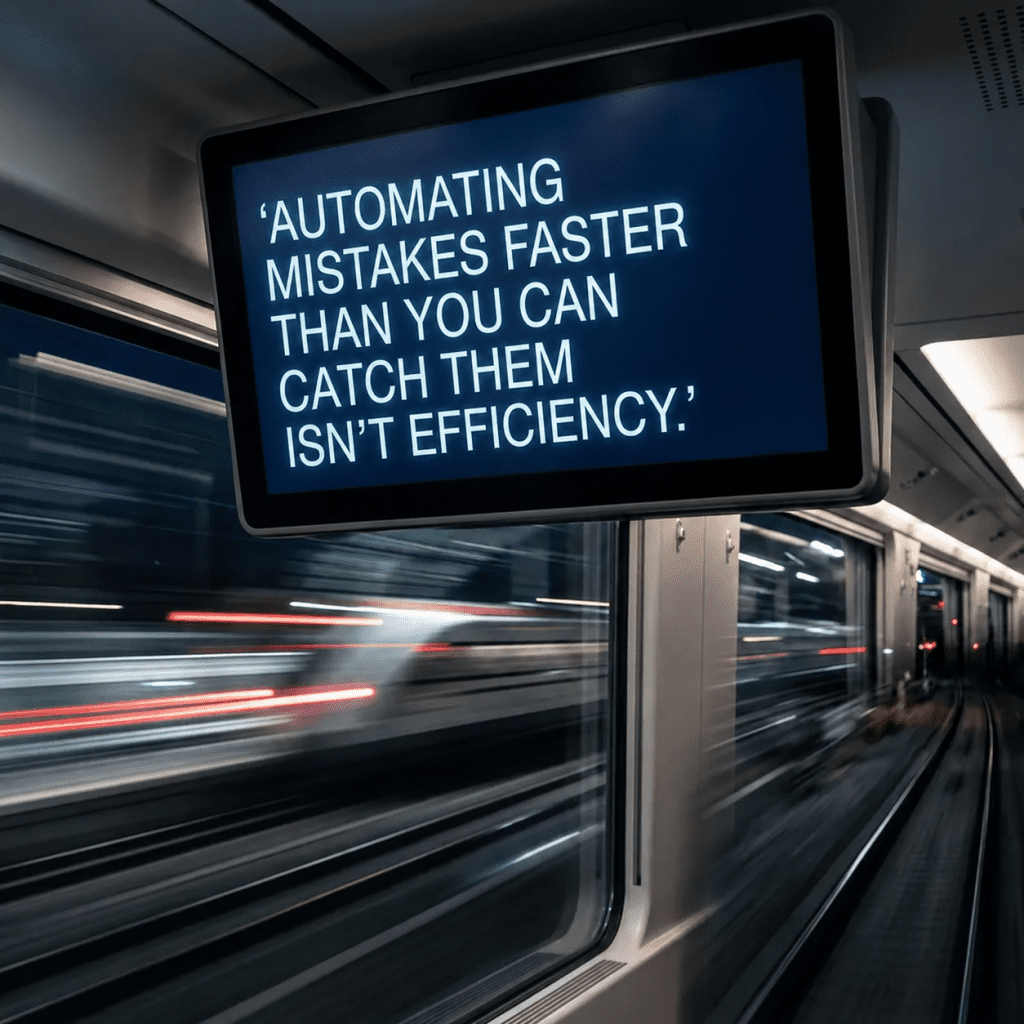
Automating mistakes faster than you catch them isn’t efficiency.
It’s expensive chaos with better dashboards.
The boring bits—the monitoring, the checkpoints, the feedback loops—matter far more than the impressive AI capabilities everyone’s excited about. Get those right first, and then you benefit from the speed and scale AI offers.
Common questions about AI safety and monitoring
How long does it take to notice when AI makes mistakes?
On average, 3.7 weeks. AI errors don’t trigger system alerts because the AI is processing successfully—it’s deciding incorrectly. You’ll only notice through complaints from humans or when someone checks the actual outcomes.
What’s a reasonable error rate for AI decisions?
Depends on the consequence. For low-stakes decisions like newsletter tagging, 90% accuracy might be fine. For anything involving customer money, personal data, or urgent issues, you need 98%+ before removing human oversight. Compare to your human error rate—if AI isn’t meaningfully better, it’s not worth the risk.
How often should AI systems be retrained?
Quarterly at a minimum. More often, when you launch new products, change processes, or notice accuracy declining. Set up automatic alerts when error rates cross thresholds—that tells you retraining is needed now, not in three months.
What percentage of AI decisions should humans review?
Start with 100% until you’ve verified at least 200 decisions in each category with a below 2% error rate for a month. Then move to 10% random sampling for ongoing monitoring. High-stakes decisions should keep human checkpoints indefinitely.
How do you know if your AI metrics are measuring the right things?
Ask yourself: if this metric looks good but customers are unhappy, would I know? If the answer is no, you’re measuring the wrong things. Track outcomes (did the customer reach the right team?) rather than processes (did the AI categorise confidently?).
What’s the ROI timeline for AI implementation with proper safety nets?
Honest answer: 6-12 months before you see meaningful returns. The first few months are learning, adjusting, and building trust through evidence. Quick wins are usually warning signs that you’re not monitoring properly.
Should small businesses with limited budgets still implement AI?
Only if you have roughly $1,000-$2,000 per month for both implementation and ongoing monitoring, if you’re trying to do this on the cheap, you’ll end up with expensive mistakes. Better to keep doing things manually until you’ve got the budget to do AI properly.
How do you handle AI decisions when they conflict with business rules?
Hard rules always override AI. If you have a business policy—like “urgent requests go straight to humans”—build that as an override rule. AI handles what’s left after your business rules filter out the exceptions.
Key Takeaways
AI confidence scores measure pattern recognition, not accuracy. High confidence doesn’t mean the answer is correct.
Track human intervention rates and reassignments, not AI confidence or processing speed. If people keep fixing the AI’s work, your system isn’t working.
Build deliberate friction into high-stakes decisions: 10-minute holding queues, random sampling, hard override rules, and human checkpoints.
Budget 20-30% of implementation costs annually for monitoring, retraining, and maintenance. This isn’t optional overhead—it’s insurance against expensive mistakes.
AI accuracy degrades over time as language, products, and processes change. Plan for quarterly retraining at a minimum.
Success comes from treating AI like a junior employee who needs supervision, not a magic solution. If you’re not willing to monitor it properly, don’t implement it.
The boring work of building safety nets, tracking corrections, and measuring outcomes matters more than impressive AI features.